


Note: There’s a lot here, so we suggest you read through the entire lesson before beginning.
About this lesson
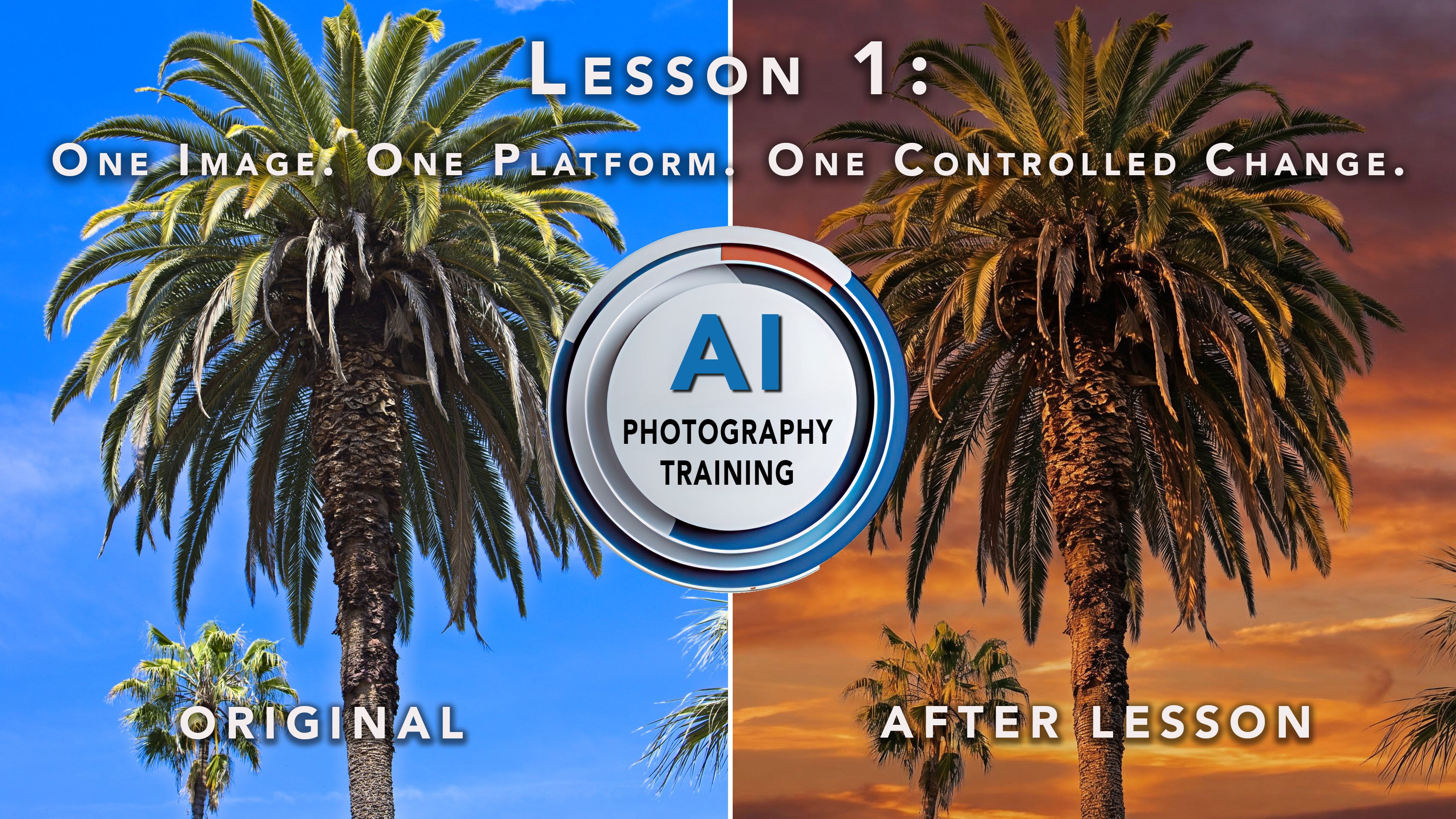
Lesson 1 is intentionally simple. It is not about dramatic transformations. It is not about cinematic prompts. It’s not even about platform comparisons.
It is about control.
If you want AI to remain inside your photographic process, rather than override it, you should learn to isolate variables and evaluate results with discipline.
The lesson introduces the foundational exercise that everything else will build upon. It may look simple. That is intentional.
If you cannot control one variable, you cannot control five. The Rules for this lesson
You will use one image to edit. No separate style image. Just one original image.
You will edit it using one platform/model, such as Flux Kontext, Gemini Nano Banana Pro, Midjourney, etc. You can run the model on any platform, such as Photoshop, Leonardo AI, or the model’s independent platform site. For information on the platforms we use most, click here to view and download our AI Tools for Photographers Resource Guide.
You will make one controlled change, such as a palette change, time of day, etc.
Evaluate your result.
What to avoid:
No stacking prompts.
No platform comparisons.
No iterative changes.
The key point is that you are editing just one variable.
If you can master this, everything that follows becomes easier.
Our example image: Palm 2283
You can use this example as a guide. Then, use the “Your Assignment” section further below.
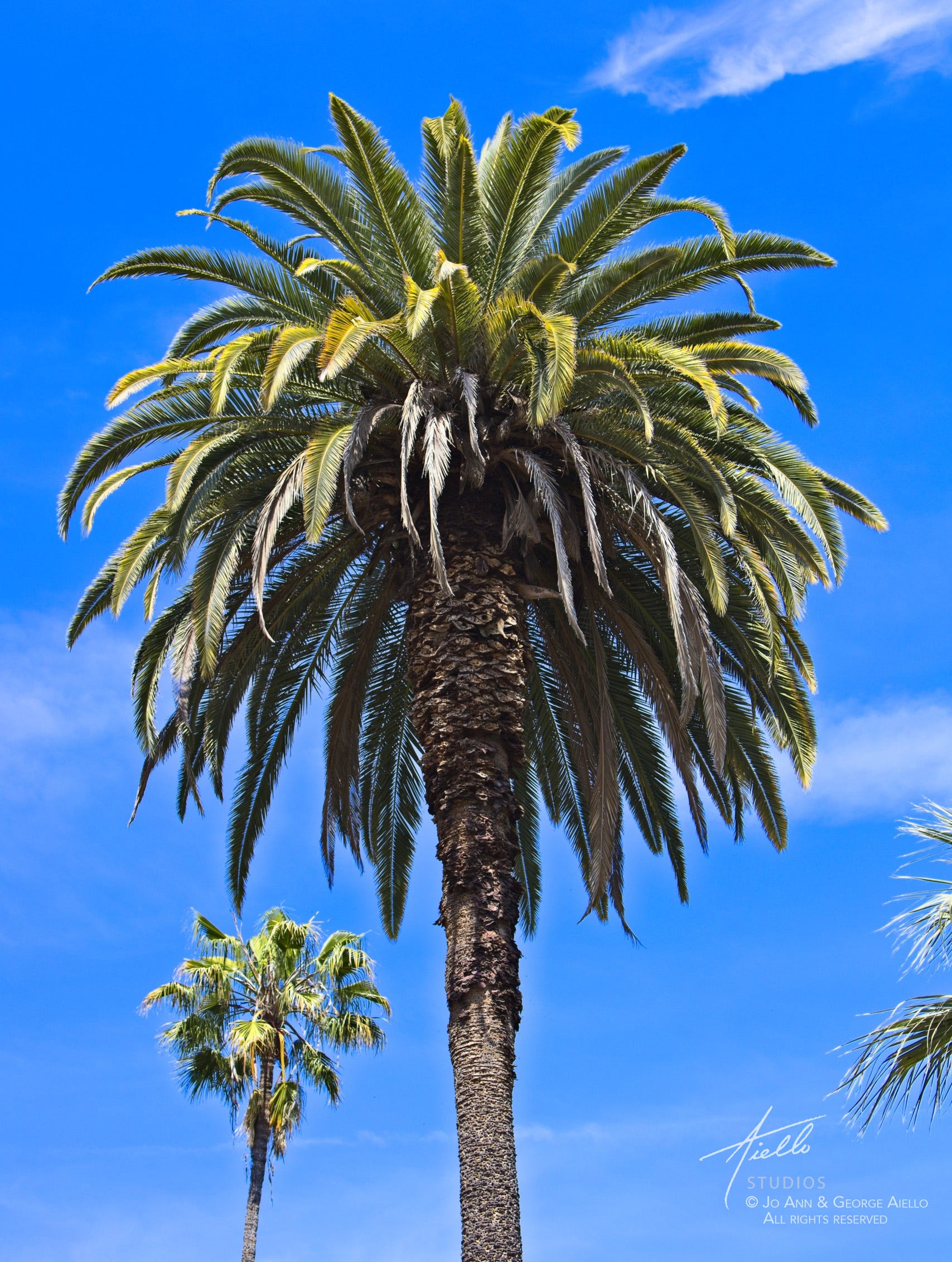
It’s an average photograph of a palm tree on a sunny day. Midday light. Clear sky. Strong overhead sun. Technically fine. Emotionally neutral. And that’s exactly why it works for this lesson. It does not necessarily need “fixing,” but it could be more dramatic. It gives us a stable starting point.
We’re going to change one thing only: The lighting.
Because we’re outside, we can do this by requesting a time-of-day change. We’re only going to try it once. Then, we’re going to evaluate the result.
That is the controlled variable.
What We Are Not (intentionally) Changing
Changing composition
Moving the subject
Adding elements
Removing elements
Cropping differently
Control Variable
For this lesson, you can opt for any control variable you wish. But the point of this lesson is to stick to just one. Here are just a few examples to choose from.
Background replacement
Lighting shift
Palette Change
Texture overlay
Time of day change (our selection)
Tonal conversion, such as B&W to color (the subject of an upcoming lesson), or other color or print-types like tintype, sepia, cyanotype, etc.
The Platform and Model
For this demonstration, we used:
Platform: Leonardo AI
Model: Nano Banana Pro
Note: You can also use Nano Banana Pro from the Google Gemini site, Photoshop, or from several other platforms.
IMPORTANT: You do not need to use Nano Banana. Feel free to use any platform/model you wish. For information on the platforms we use most, click here to view and download our AI Tools for Photographers Resource Guide.
Remember, this lesson is not about platform or model comparisons. That comes later. Today is about discipline, not preference.
The Prompt
Here is the exact wording we used:
“Change the lighting and time of day to sunset. Do not alter the composition.”
That’s it, a very simple prompt.
No stylistic stacking.
No cinematic modifiers.
No extra atmosphere instructions.
Just a simple, clean directive.
You may have noticed we added: “Do not alter the composition.”
In our experience, preservation language like this often helps reduce structural drift. It is not guaranteed, and not all models understand it. But it frequently reinforces intent.
AI is responsive, not obedient.
The Result

The output shifts the image from mid-day sun to sunset light. Note that it added clouds that we did NOT request. However, the warmer tones, lower angle illumination, and longer shadows define the appropriate mood.
Evaluation: Did We Maintain Control?
This is where the real lesson happens.
1. Structural Integrity
Did the trunk shift position? No, that’s good.
Did the fronds distort? Not much, if at all.
Did the framing move? No.
If the geometry changed, we lost control. If we lost the structural integrity of the main subject, the question becomes whether it was the model, the prompt, or something else. The point is to think about it and try to understand what may be causing it.
2. Lighting Logic
In our example, sunset light should behave like sunset light.
Is the new light direction believable? Not bad at first glance. We question it a little because, while believable at first glance, there is a question about the lighting angle for the clouds vs. the tree. Can you see that?
Do the shadows align consistently? Yes.
Does the warmth feel natural? Yes, although more dramatic than expected or may want.
3. Photographic Identity
Does this still feel like a photograph of Palm 2283?, or does it feel like a transformation? Other than the fact of the lighting change and more dramatic clouds, the composition and palm remain very much intact. Photographers have been changing color, tone, and backgrounds practically since the advent of darkroom techniques. Overall, one could argue that this is acceptable. To what degree, is a subjective determination.
If the structure remains intact, authorship remains intact. That matters.
This exercise calls for “one controlled change.” Therefore, we did not do it over with fewer clouds, nor did we address the lighting direction, but we easily could have. In fact, since we were using Nano Banana Pro, which understands context from the first change, we could resubmit this result it with a simple prompt like “fewer clouds.” We would not need to start over. But that’s not what this lesson calls for:
Remember, this lesson isn’t about creating a perfect, impressive image; it’s about learning. Again: One Image. One Platform. One Controlled Change.
Why This Exercise Is So Important
Most photographers experiment like this:
Upload image
Try multiple prompts
Regenerate repeatedly
Switch platforms
Add modifiers
Stack edits
Often, confusion replaces clarity. They cannot identify the cause of anything that happened, good or bad. That reduces repeatability and control. Lesson 1 is designed to help eliminate that.
When you isolate one variable, you learn how the model behaves.
When you understand behavior, you gain control.
Your Assignment
Choose one of your own photographs.
Technically sound
Structurally clean (simple, easily distinguishable subjects will work best)
Not already heavily edited
Choose one AI platform and one model.
Make one controlled change only.
Include preservation language if needed. (“Do not alter the composition”)
Do not stack instructions.
Do not iterate with additional results.
Evaluate and document the result
Description of our original
Platform used
Exact prompt
Result
Observations
Then stop. Discipline matters more than outcome at this point.
What This Lesson Builds
Lesson 1 develops:
Prompt restraint
Structural awareness
Variable isolation
Evaluation discipline
Without these habits, advanced workflows become unpredictable.
With them, AI becomes more of a controlled instrument inside your photographic process.
A. Lesson 1 Worksheet (Editable PDF)
Download the structured Lesson 1 worksheet to guide your work before submitting. It helps you define your single controlled change, document your exact prompt, evaluate structural integrity, and record your observations.


Thank you for taking the time to work through Lesson 1 and for supporting AI Photography Training. Your willingness to engage with the material makes this program possible and meaningful. If you have general thoughts about the new Lessons format, we’d welcome them in the comments. Your input will help shape where we take this next, including how we build on the discipline introduced here in upcoming lessons.
And remember… Stay Curious. Keep Exploring. And most of all, Enjoy Creating!
Jo Ann & George Aiello
Aiello Studios